
How to Stay VAT-Compliant When Selling Across Europe
Selling to customers in multiple European Union countries is one of the easiest ways to grow revenue. It is also one of the fastest ways to create confusion around Value Added Tax.
You launch a product. The website works. Payments come in. Then you ask the uncomfortable questions:
- Which country’s Value Added Tax rate do I charge?
- Do I need to register in every country?
- Can I keep one price across Europe?
- What do I actually file, and where do I pay?
This guide is for Business-to-Consumer (B2C) sales only. It is written for two types of business owners:
- businesses established inside the European Union, and
- businesses established outside the European Union that sell to EU customers.
It is not legal or tax advice. Tax rules can be detailed and can change. But the framework below is stable, and it will help you build a process that is clear, consistent, and workable.
Video Explanation on How the EU VAT OSS Works
If you want a practical explanation instead of theory, the video below shows how the EU VAT One Stop Shop (OSS) works, who it applies to, and why it simplifies VAT reporting when selling across the EU.
Key terms (simple definitions)
- Value Added Tax (VAT): a consumption tax. In many B2C cross-border cases, VAT is linked to the country where the customer uses the product or service.
- Business-to-Consumer (B2C): you sell to a customer who is not buying as a business.
- One Stop Shop (OSS): an EU system that allows you to report and pay VAT for multiple EU countries through one registration.
- Non-Union OSS: the OSS option for businesses established outside the EU.
- Import One Stop Shop (IOSS): a separate system for certain imported goods into the EU (we will only mention it briefly).
The main rule that drives everything
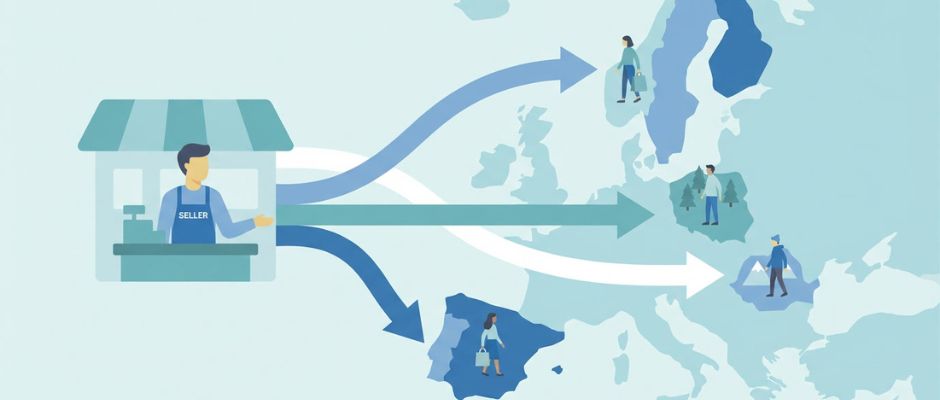
For many cross-border B2C sales, VAT is paid to the EU country where consumption happens.
In a physical store, “consumption” is obvious. Online, it is not. That is why you need two things:
- a way to determine the customer’s EU country in a consistent way, and
- a reporting method that works when you sell into multiple EU countries.
Also, for B2C, the customer should see a clear final price before paying. In most consumer situations, that means the total price including tax is clearly shown before the purchase is confirmed.
Step 1: What are you selling?
The VAT workflow depends heavily on what you sell. Start here.
1) Digital products and digital services
Examples:
- software subscriptions
- online courses
- memberships
- downloadable content
This category often requires stronger proof of customer location, because the “place of consumption” can be harder to identify.
2) Services (including consulting)
Examples:
- consulting calls
- creative work
- professional services delivered remotely
This category can be tricky because “place of supply” rules can differ by service type. Some services behave like digital services for VAT purposes. Others follow different rules. If your service is not clearly digital, it is worth verifying the rule for your specific category.
3) Physical goods (e-commerce)
Examples:
- shipping products from one EU country to customers in other EU countries
- importing goods into the EU from outside the EU
Physical goods VAT can depend on:
- where goods are shipped from
- where they are shipped to
- whether there is an import into the EU
- whether a marketplace is involved
Step 2: Where is your business established?
Now separate your situation into one of two branches.
A) You are established inside the EU
If you sell B2C into other EU countries, there is an EU-wide threshold of 10,000 euros for certain cross-border B2C sales categories. Below that threshold, you may be able to apply VAT rules of your country of establishment in certain cases. Above that threshold, you often apply VAT based on the customer’s country and use One Stop Shop (OSS) to report and pay across multiple EU countries.
Important note: the threshold applies to specific covered categories. Make sure your product type is within those categories.
B) You are established outside the EU
If you sell B2C to EU customers, you may need to handle destination VAT from the beginning for covered sales. For many covered services, a non-EU business can use Non-Union OSS, and it can often choose an EU country where it registers as its “member state of identification.” Then it reports VAT for multiple EU countries through that single registration.
This is one of the few areas where the EU system is genuinely practical for non-EU sellers, because it avoids multiple registrations in many common cases.
Pricing strategy for B2C: the customer experience matters
Many business owners obsess about VAT reporting and forget the first thing the customer sees: the price.
A good B2C checkout experience is simple:
- the customer understands the final price before paying
- there are no surprises at the last step
- the purchase feels normal, not “tax heavy”
There are two compliant and practical ways to handle pricing across multiple EU countries.
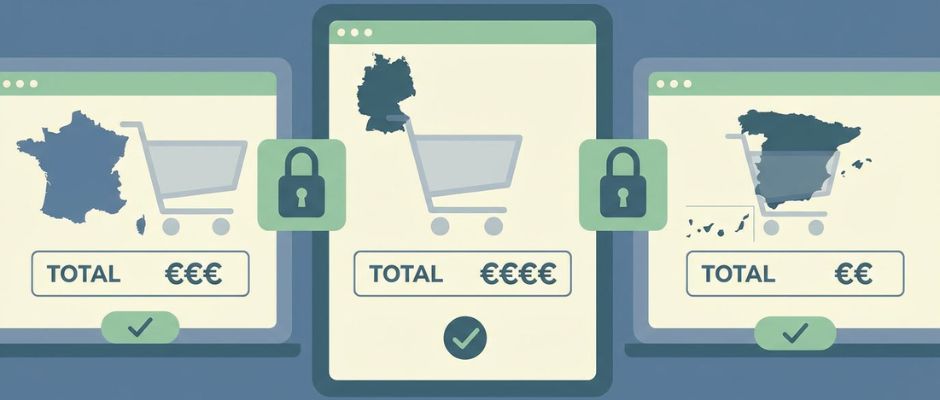
Strategy A: Country-based final pricing (VAT-inclusive)
You show a final price that adapts to the customer’s EU country.
- A customer in one EU country may see a different final price than a customer in another EU country.
- Your net revenue stays more stable because VAT differences are built into the displayed price.
- This often requires technical work: country detection, VAT rate logic, and careful testing.
This strategy is common when margins are thin and small changes matter.
Strategy B: One final price everywhere (VAT-inclusive), and you accept VAT differences
You show one final price for all EU customers.
- The customer experience is very simple.
- Your net revenue changes by country, because VAT rates differ between EU countries.
- You “absorb” the VAT difference in your margin.
This strategy is common for digital products, subscriptions, and higher-margin offers where simplicity improves conversion.
Strategy comparison table
| Topic | Strategy A: Country-based final price | Strategy B: One final price everywhere |
| What the customer sees | A final price that can vary by country | One final price for everyone |
| Your margin stability | More stable | Varies by country |
| Technical complexity | Higher | Lower |
| Best for | Low-margin offers, price-sensitive markets | Digital products, higher-margin offers |
| Main risk | Incorrect country detection or VAT mapping | Margin erosion in high-VAT countries |
How to decide the customer’s EU country (and keep it defensible)
Online sales do not automatically create a clean “place of consumption.” You need a method.
The goal is not perfection. The goal is consistency and good records.
Common ways to determine customer country
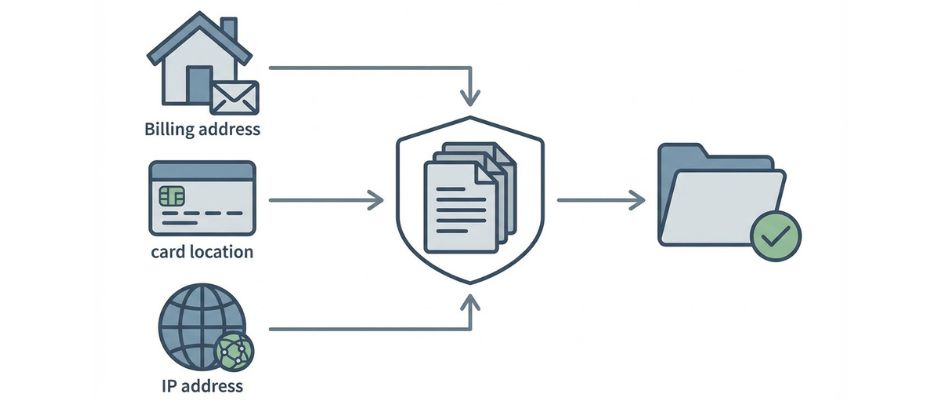
These are typical evidence points used by businesses:
- Billing address country (from checkout data)
- Bank or card country information (when available)
- Internet Protocol (IP) address location (when used)
- Mobile country code (when sales happen through mobile networks)
In many digital service situations, you may need more than one piece of evidence to support the customer’s country. If your evidence conflicts, you should have a clear internal rule for how you resolve it.
Evidence options table
| Evidence type | How you get it | Strength | Weakness | Best use |
| Billing address country | Customer enters it | Direct and simple | Can be mistyped or inconsistent | Most B2C checkouts |
| Card or bank country signal | Payment provider reports it | Often reliable | Not always available | Added validation |
| IP address location | Website records it | Helps detect mismatches | VPNs and travel can distort | Digital services, fraud checks |
| Mobile country code | Telecom data | Strong for mobile services | Not relevant for many stores | Mobile-based services |
A simple approach many small businesses use:
- collect billing country
- compare with a second signal when possible
- store the results in your records
- apply your internal “conflict rule” when signals disagree
One Stop Shop (OSS): what it solves and what it does not solve
It is useful to describe OSS in plain language:
One Stop Shop (OSS) is a reporting channel.
It is not a complete tax management system.
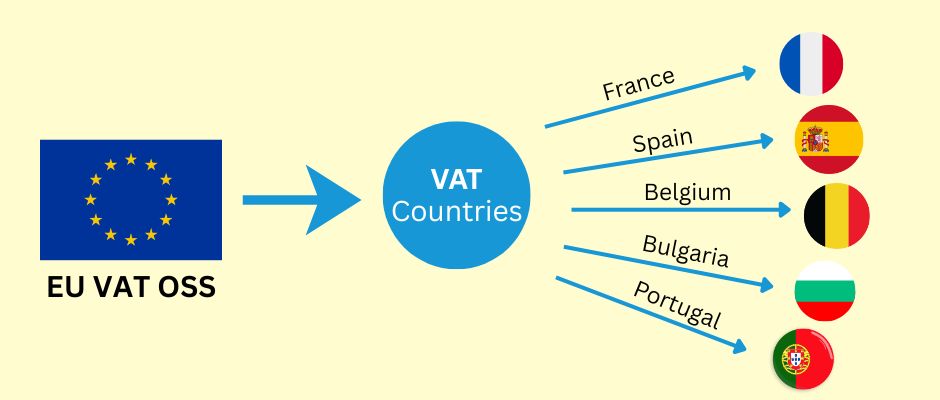
OSS typically helps you avoid registering for VAT separately in many EU countries for covered sales. You report your cross-border B2C VAT in one place, and payment is distributed to the relevant EU countries.
But OSS does not magically fix your data. You still need:
- customer country decision
- correct VAT rate application
- clean sales reports by country
- adjustments for refunds and chargebacks
- proper record storage
Also, OSS record-keeping obligations can be long. Many businesses adopt the habit of treating VAT evidence like a compliance archive, not like casual analytics data.
A simple VAT workflow you can actually run (monthly + quarterly)
If you want this to feel manageable, treat VAT like a process, not like a panic event.
Before you sell: setup checklist
- Identify what you sell (digital, services, physical goods).
- Confirm if you are established inside the EU or outside the EU.
- Decide whether OSS or Non-Union OSS is relevant to your sales type.
- Choose a pricing strategy (country-based final pricing or one final price everywhere).
- Choose a customer country method (and define a conflict rule).
- Decide where you will store VAT evidence and transaction reports.
During checkout: operational checklist
- Collect the customer country information you need.
- Show the final price clearly before the customer confirms payment.
- Store the key evidence signals you rely on.
- Store the order record in a format you can export later (country, VAT amount, total).
Every quarter: filing checklist (if you are using OSS)
- Export total B2C sales by EU country.
- Confirm VAT rates used match the customer country rule you defined.
- Adjust for refunds and chargebacks.
- File the OSS return through your tax portal.
- Pay the VAT due through the OSS process.
- Archive the reports and evidence for the period.
Common mistakes that cause real pain
- mixing B2B logic into B2C checkout flows
- not storing evidence of customer country
- assuming one VAT rule fits all services
- using a tax tool and never checking what it actually reported
- forgetting to account for refunds in VAT reporting
Tools and automation (useful, but do not confuse calculation with filing)
Tax tools can help, but you should separate two tasks:
- Tax calculation (what to charge)
- Tax filing (what to report and pay)
Many payment providers and tax tools can assist with calculation and reporting. Some offer integrations with filing partners. Others provide reports that you can use to file yourself.
A good principle is this:
- use tools to reduce human error in calculation and reporting
- keep your own records clean enough that you can still file even if a tool changes or fails
Options table: choose your comfort level
| Approach | Cost | Setup effort | Best for | Main risk |
| Manual calculation + manual filing | Low | Medium | Very small volume, simple catalog | Human error, inconsistent evidence |
| Tax calculation tool + manual filing | Medium | Medium | Growing startups | Over-trusting tool output |
| Tax tool + filing partner | Higher | Low to medium | High volume, limited time | Cost, dependency on partner |
VAT rates, reduced rates, and exemptions (where complexity appears)
EU countries often have:
- a standard VAT rate
- reduced VAT rates for certain categories
- exemptions or special treatments for some categories (education is a common example)
Two practical warnings belong in your process:
- Do not assume your category is “standard VAT” everywhere.
- Do not assume exemptions apply automatically across borders.
In some cases, eligibility for a reduced rate or exemption can depend on national rules and supplier conditions. If your business model depends heavily on a special VAT treatment, confirm it carefully for the customer’s country and your specific service type.
This is also where competition can feel unfair: a local provider may qualify for a special treatment that a cross-border provider does not. The only safe way to handle this is to treat it as a research task, not as an assumption.
Special cases to check (short list)
These topics can change who is responsible for VAT and how you report:
- Marketplaces: sometimes the marketplace has VAT responsibilities.
- Importing goods into the EU: you may need to consider Import One Stop Shop (IOSS) for certain cases.
- Bundles: mixing digital and physical products can create mixed VAT treatment.
- Mixed customers: if you sell to both businesses and consumers, keep B2B and B2C logic separate.
Frequently asked questions (short and practical)
Do I need One Stop Shop (OSS)?
If you are selling B2C into multiple EU countries in covered categories, OSS can simplify reporting. The need depends on your establishment location and your sales profile.
Can I keep one price for all EU customers?
Yes, many businesses do. The safe way is to keep the customer experience clear and to accept that your net revenue can vary by country because VAT rates differ.
What is the 10,000 euros threshold?
It is an EU-wide threshold that affects certain cross-border B2C categories for EU-established sellers. Below it, some sellers may apply home country VAT in certain cases. Above it, destination VAT and OSS often apply.
How do I decide the customer’s country?
Use a consistent method, store evidence, and define a conflict rule. Billing country plus one supporting signal is a common operational approach.
Do I need to show VAT on receipts or invoices?
Requirements vary by country and by transaction type. If you issue invoices, invoice content rules can apply. If you rely on receipts, requirements can still exist. Treat this as a country-specific compliance check.
How long should I keep the One Stop Shop (OSS) records?
If you use the One Stop Shop (OSS), you must keep the transaction records for 10 years from the end of the year in which the transaction took place (even if you stop using OSS).
The simple path to staying compliant
If you remember only a few points, remember these:
- VAT for B2C cross-border sales often follows the customer’s EU country.
- Choose a pricing strategy that fits your margins and your marketing.
- Decide how you determine customer country and store evidence consistently.
- Use One Stop Shop (OSS) or Non-Union OSS when relevant to reduce registrations.
- Keep clean records, especially for refunds and chargebacks.